Features & Capabilities
BetweenUs is a modern, privacy-first communication and collaboration platform designed as a self-hostable alternative to Discord and Slack, combined with permissioned remote desktop capabilities.
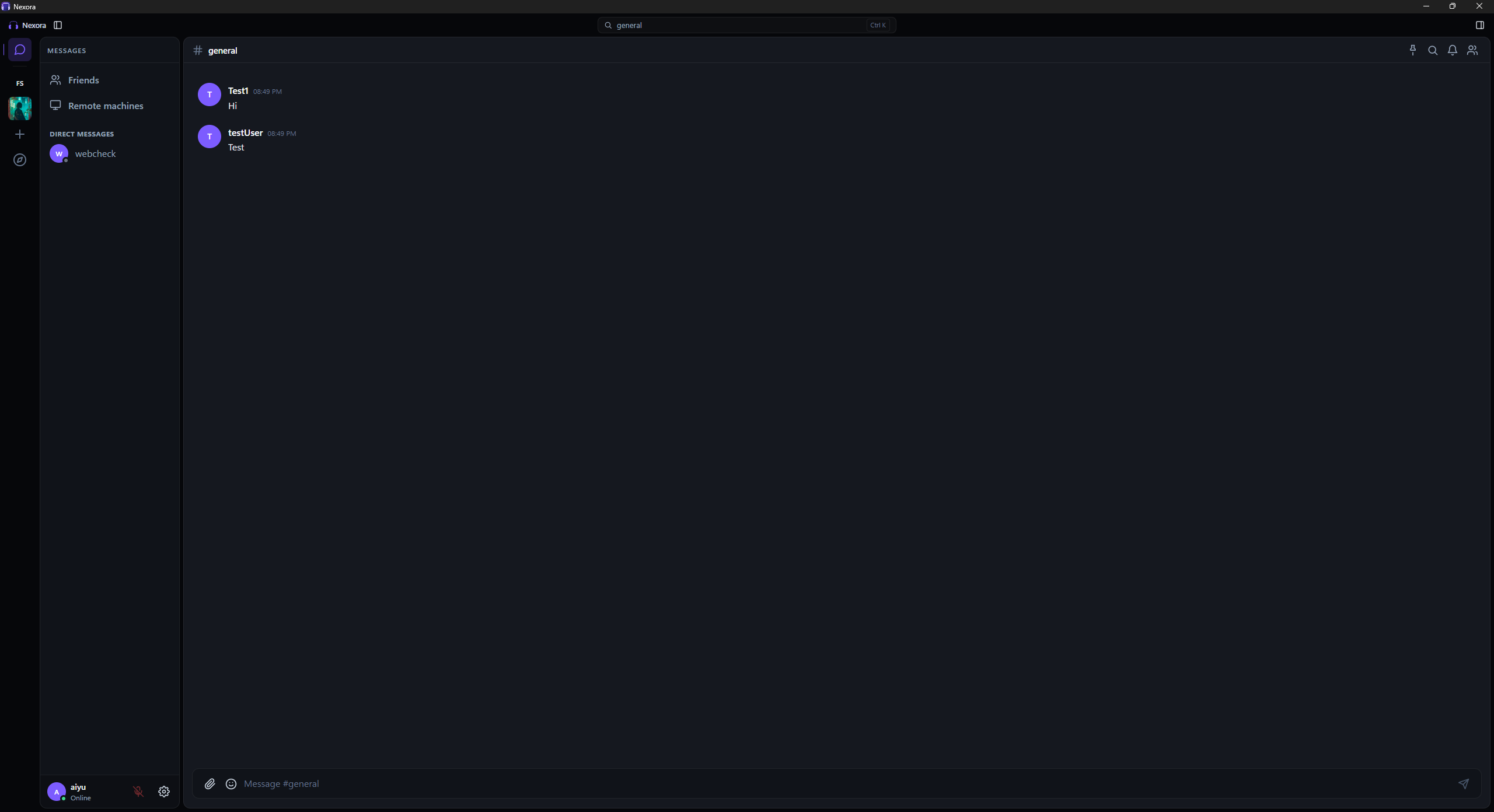
Feature Matrix & Platform Parity
| Capability | Desktop (Windows / Linux / macOS) | Web Client (PWA) | Android (Native Kotlin / Compose) |
|---|---|---|---|
| End-to-End Encrypted Chat | ✅ Full Support | ✅ Full Support | ✅ Full Support |
| Encrypted File Attachments (≤100MB) | ✅ Full Support | ✅ Full Support | ✅ Full Support |
| P2P Voice & Video Calls | ✅ Full Support (WebRTC Mesh) | ✅ Full Support | ✅ Full Support |
| Screen Sharing (Up to 4K / 60 FPS) | ✅ Host & Watch | 👁️ Watch & Share | 👁️ Watch Only |
| Listen Together (YouTube) | ✅ Full (real youtube.com) | ⚠️ Embed only | 🎵 Audio Sync |
| Play Together (6 Board Games & Carrom) | ✅ Full Support | ✅ Full Support | ✅ Full Support |
| Remote Desktop Control | 🖥️ Agent & Controller | 🎮 Controller Only | 👁️ Viewer Only |
| Scheduled Send & Remind Me (device-local) | ✅ App open or in tray | ✅ Tab open | ✅ WorkManager |
| Moments (24h Ephemeral Stories) | ✅ Full Support | ✅ Full Support | ✅ Full Support |
| Multi-Theme Engine (16 Themes) | ✅ 16 Themes + Accents | ✅ 16 Themes + Accents | ✅ 16 Themes + Material You |
| Channel Categories (collapse, drag to reorder, create into) | ✅ Full, folding per machine | ✅ Full, folding per machine | ✅ Collapse (kept per account and server), long-press to reorder, create, rename, delete and add a channel into one |
| Server Rail Folders | ✅ Collapsible, per machine | ✅ Collapsible, per machine | ➖ Flat rail |
| Granular Server RBAC & Roles | ✅ Full Administration | ✅ Full Administration | ✅ Member Views |
| E2EE Key Backup & Machine Revocation | ✅ Full Device Registry | ✅ Full Device Registry | ✅ Passphrase Backup |
Video Showcase & Product Tour
Watch an overview of BetweenUs in action — featuring end-to-end encrypted messaging, peer-to-peer WebRTC voice/video calls, synchronized listening, board games, and 16-theme customization:
1. End-to-End Encrypted Messaging
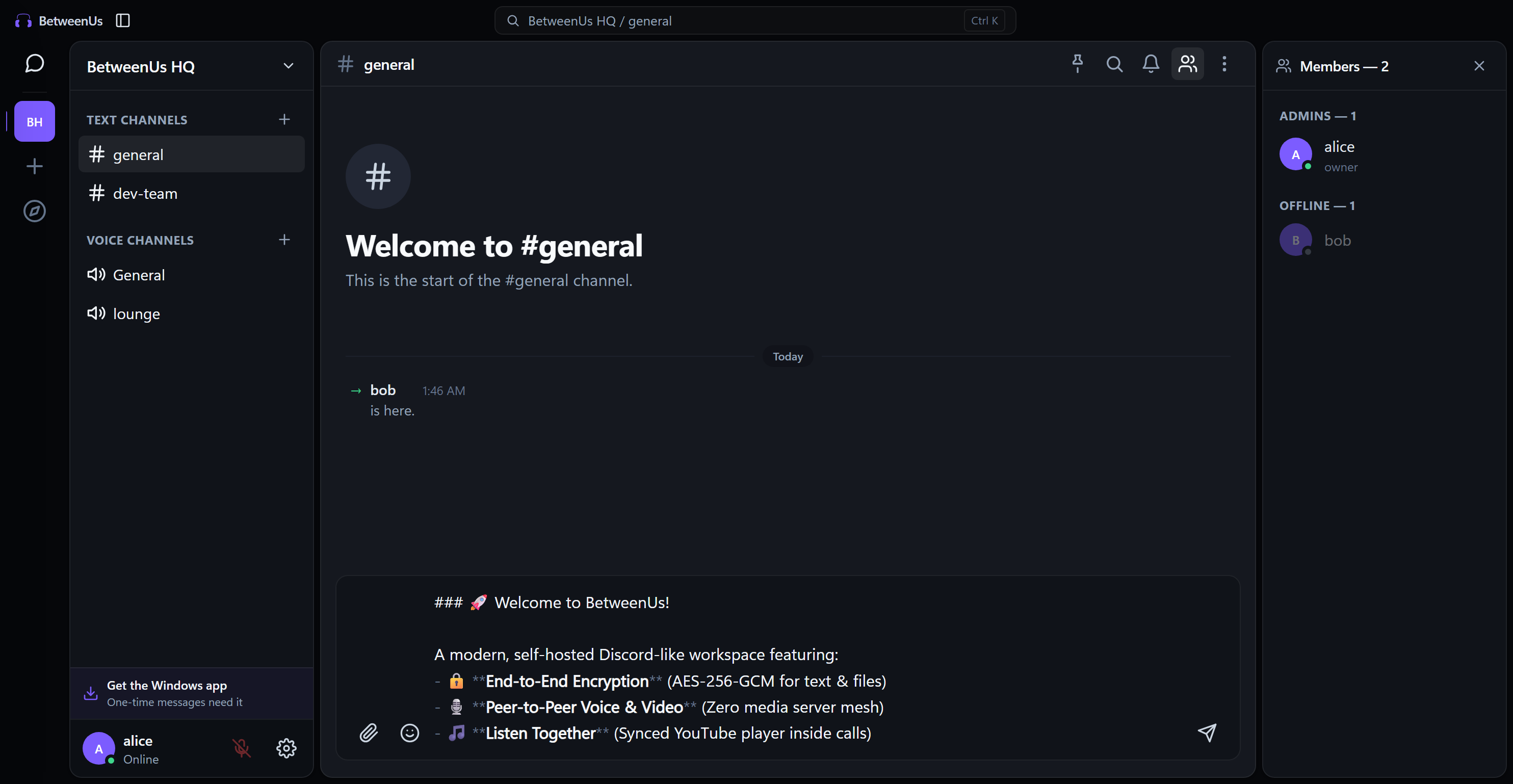
BetweenUs guarantees absolute message privacy. Messages and uploaded files are encrypted client-side using authenticated AES-256-GCM before touching the network. The backend only stores opaque ciphertext blobs.
Desktop Client
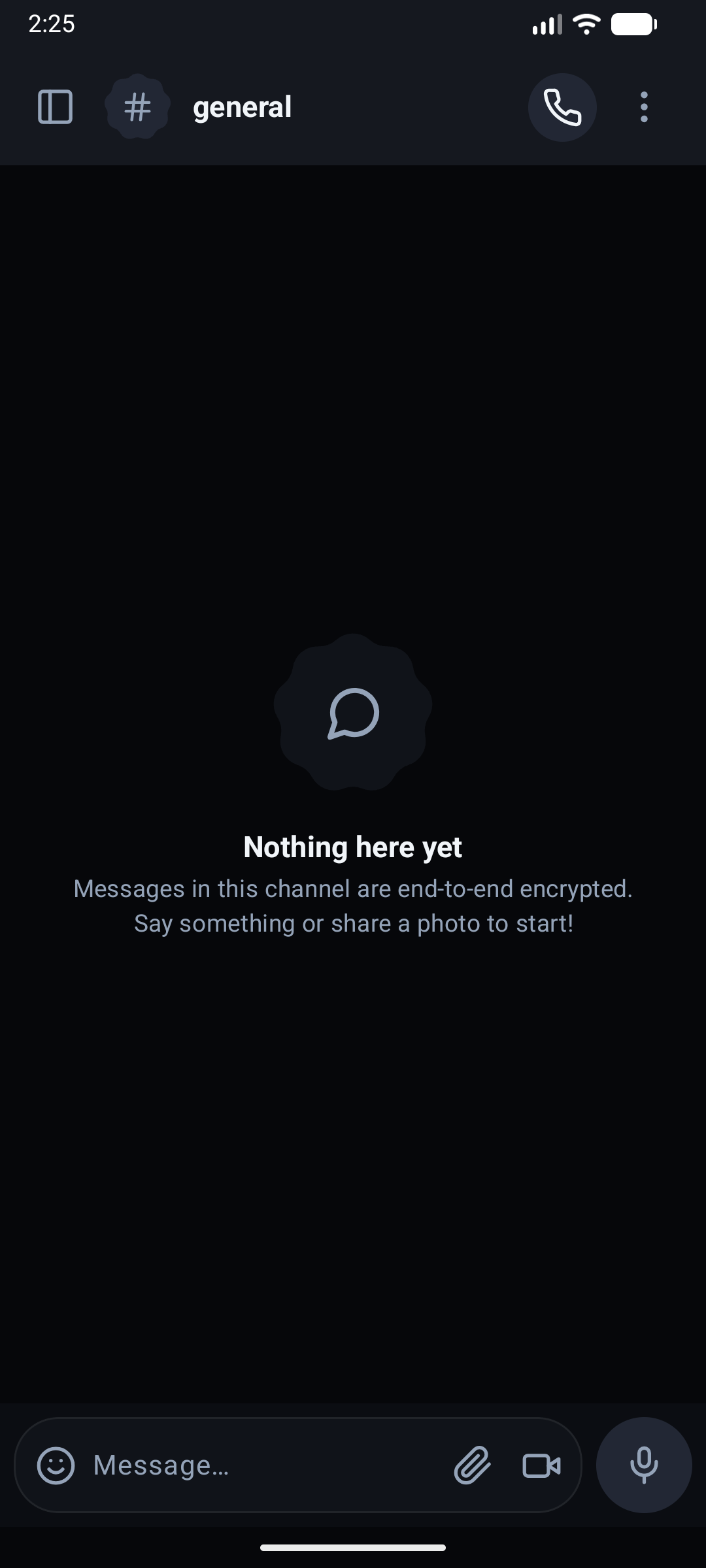
Native Android (Compose)
Key Capabilities
- Zero-Knowledge Backend: Servers, database operators, and network intermediaries cannot inspect message content, channel names, or attachments.
- Rich Markdown Formatting: Full support for headings, bold/italic inline marks, blockquotes, ordered/unordered lists, code snippets, and syntax-highlighted code blocks.
- Interactive Messaging: Real-time typing indicators, emoji reactions with custom pickers, quote replies, message pinning, and edit histories.
- Spoilers: wrap text in
||double pipes||and it draws as an obscured bar until somebody clicks or taps it. Every spoiler in a message opens together and stays open while the app runs. Notifications, reply quotes and the pinned list show a fixed-width▒▒▒▒in its place, so a spoiler is never printed where it cannot be clicked.`||code||`stays literal. - Code blocks with highlighting: a fence's language (
```ts,```py,```sql, and about twenty aliases covering JS/TS, Python, Kotlin, Java, C/C++, C#, Go, Rust, Swift, shell, SQL, JSON, YAML, CSS and HTML) colours keywords, strings, numbers and comments in the theme's own colours. An untagged or unknown fence is plain monospace. It is a small in-tree lexer (syntax.ts/Syntax.kt) rather than a highlighting library, and it is client-only: the message is already decrypted, so nothing about it reaches the server. - Polls: Ask a question with two to ten options, single or multi-choice, with an optional closing time. Live bars, counts and who-chose-what update as people vote; change or retract your vote; the author (or a moderator) closes it. The question and options are inside the encrypted message; the server only counts option indexes. A poll cannot be forwarded: its ballot belongs to the original message.
- Edit history: an edited message's "(edited)" marker opens a list of what it said before, newest first with timestamps - a popover on desktop and web, a bottom sheet on Android. Each earlier version is kept sealed under the same channel key as the message and opened only on your device, so the server learns no more about the old words than the new. Nothing is kept for a disappearing or one-time message, at most 50 versions are held, and deleting a message deletes its history.
- Threads: "Reply in thread" on any message opens a side conversation under it - a side panel on desktop and web, its own screen on Android. Replies stay out of the channel timeline; the root wears an "N replies · last reply X ago" chip. A thread is as private as its channel and sealed with the same key, so the server knows which message a reply hangs off and how many there are, never what was said. Only the people in a thread (its root's author and whoever has replied) are notified of a reply, and anyone else only when they are @mentioned. Deleting the root leaves the thread reachable under "Original message deleted"; a root that disappears takes its thread with it. Threads are one level deep and are not offered on one-time messages. The thread composer takes files the same way the channel composer does, sealed under the channel key. You follow a thread you start or reply to (or with Follow in its panel), and a followed thread's chip shows how many replies you have not seen, cleared on every device once you have read them; desktop and web list your followed threads in a side panel, and Android in its own screen (from the channel menu, the drawer header or Friends, with a badge of unread replies), where the thread screen also has the Follow / Unfollow button and takes files in a reply.
- Encrypted Media & Attachments: Images, videos, PDFs, and archives up to 100 MB are encrypted in memory prior to upload and decrypted on the recipient device.
- Copy image: right-click a picture in a message (desktop and web) and choose Copy image, or use the copy button in the full-size preview. The picture already decrypted on your device goes to the clipboard as a PNG, with no download from the server. One-time pictures are never offered.
- Drafts That Survive a Restart: Unsent text and the message you were replying to are kept per channel and direct message on desktop, web, and Android. Switching away and back, or quitting and relaunching, restores them; sending clears them, and signing out wipes them. Drafts are stored on your own device in the same local cache as the ciphertext, and are never sent to the server. Conversations with a draft show a quiet "Draft" label in the list.
- Pinned and search paging: The pinned list loads 25 at a time and pages in as you scroll. Search matches the decrypted window at once, then walks back through older history on the device (older ciphertext pages are fetched with the message cursor and decrypted locally), showing how far back it has read, with a Stop button and a 1000-message cap per run before you choose to continue. The server never searches message text.
- Local Persistence & Search: Decrypted messages are indexed into encrypted SQLite/Room storage for instant full-text search.
- Scheduled Send and Remind Me: Choose a time for a text message (in 30 minutes, tomorrow morning, or a custom date and time), or ask to be reminded about any message. Both are held on your device only: the server never holds an unsent message. The device must be running at the time (desktop open or in the tray, a web tab open, Android via WorkManager); if it was away, the item goes on its next chance and is marked late. A Scheduled list lets you change the time, send now or cancel. See Scheduled Send and Reminders.
2. Peer-to-Peer Voice and Video Calls
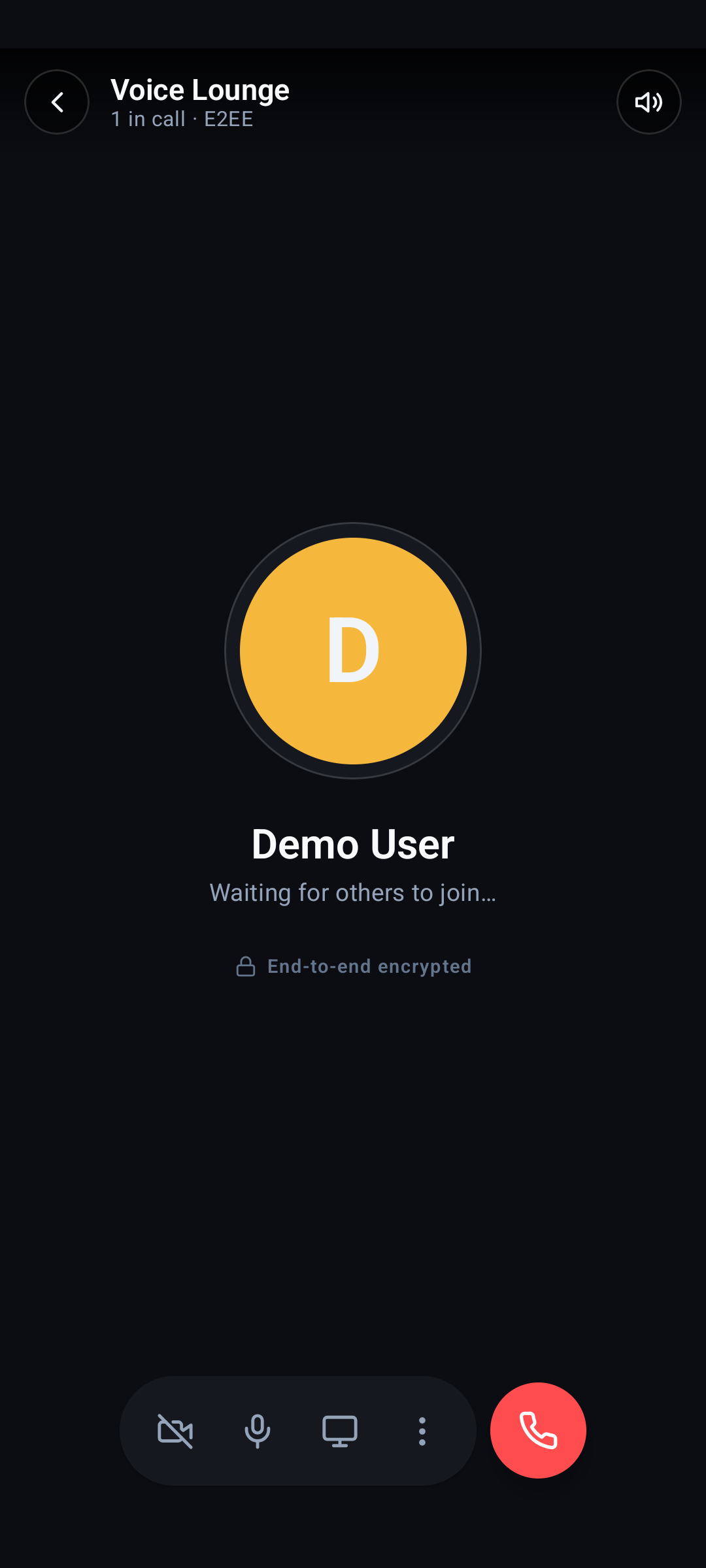
Unlike legacy platforms that route audio and video through centralized media relays (SFUs), BetweenUs connects call participants in an autonomous WebRTC full-mesh.
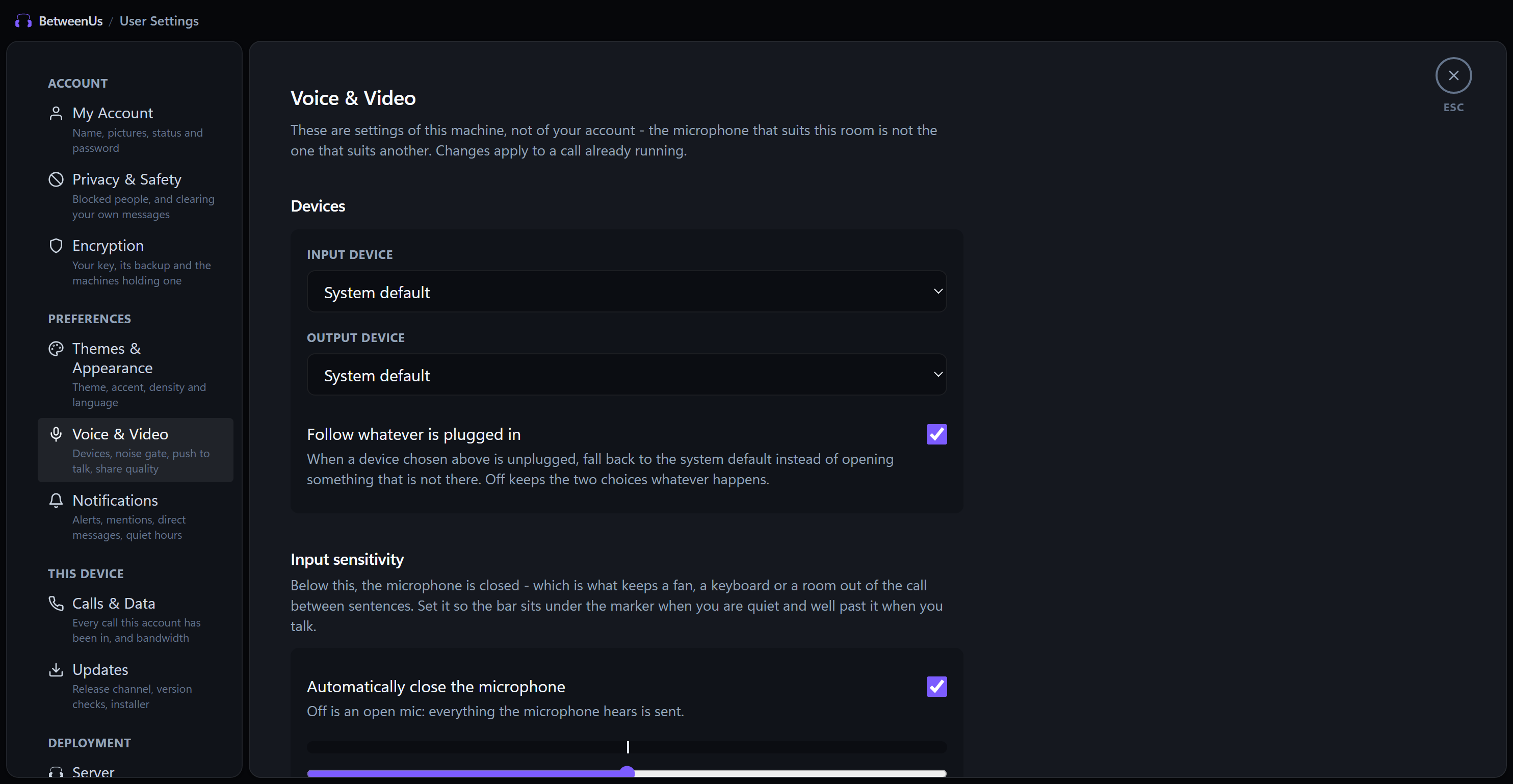
Desktop Audio Settings & Mesh Controls
Android E2EE Voice Stage
Key Capabilities
- Zero Media Server Overhead: Audio and video streams flow directly peer-to-peer via DTLS-SRTP, drastically reducing infrastructure bandwidth and eliminating intermediary eavesdropping.
- High-Fidelity Audio Controls: Integrated software noise gate, acoustic echo cancellation, automated microphone sensitivity calibration, and push-to-talk keybindings.
- Ultra-Low Latency Screen Sharing: Share applications or entire monitors up to 4K resolution at 60 FPS with hardware-accelerated VP9/AV1 codecs.
- Dynamic Topology Optimization: Automatic STUN/TURN traversal fallback ensures connection reliability across restrictive symmetric NATs and corporate firewalls.
- Camera Choice and Quality: Pick which camera a call uses — from inside the call, next to the microphone and speaker rows, because the moment somebody wants their camera changed is the moment they are in one. Resolution (automatic, 360p, 720p, 1080p), frame rate, bitrate ceiling and codec are all adjustable on desktop and web; the phone carries the same four resolution names. The defaults are derived from the resolution the camera actually hands over rather than guessed, which is the difference between a picture that looks right to you and one that looks right to everybody else.
- Camera Filters: Warm, cool, vivid, mono and soft, applied before the picture is sent so every participant sees them. Processed off the main thread, and turned off automatically — with a notice — on a machine that cannot sustain the frame budget, rather than being allowed to make the call stutter. Available on the desktop app and in Chromium-based browsers; a browser without frame processing says so instead of silently ignoring the setting.
3. Listen Together (Synchronized YouTube)
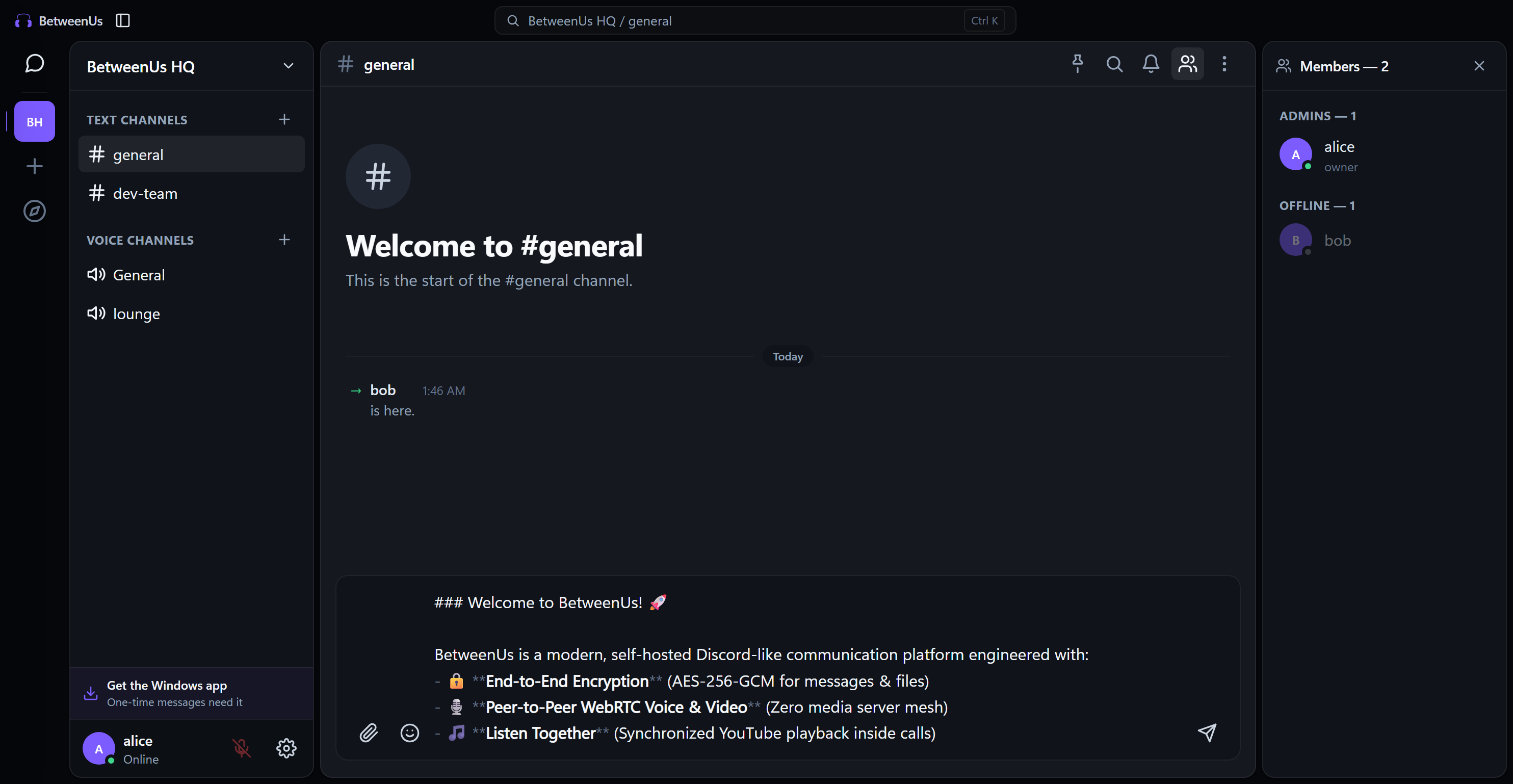
Share music inside any voice channel without taxing anybody's uplink bandwidth. Audio only: what is shared is the track, the queue and the position, never a picture and never a stream.
Key Capabilities
- Zero Uplink Bandwidth: Rather than screen-sharing frames, Listen Together synchronizes playback metadata (timestamp, state, queue index) across peers; each client streams the track directly from the source.
- Plays What Embeds Refuse: The desktop app plays real youtube.com in a hidden view rather than the
/embed/player, so a record label's music video — which the embed rejects outright with error 101/150 — plays normally, signed in as you. - In-App Browser & Queue: Browse youtube.com (desktop) or search (web) to build synchronized shared queues, or paste direct URLs.
- Adverts Run Out: On the desktop player, a pre-roll is skipped or seeked to its end — ~1.8s instead of 15–30s. Nothing is blocked, so YouTube's anti-adblock interstitial never comes into it. A Premium account removes them entirely.
- Automatic Speech Ducking: Media playback volume automatically softens when participants speak, ensuring clear conversation.
- Host & Collaborative Modes: Server admins or room hosts can lock controls or allow any member in the call to manage the queue.
4. Play Together (Multiplayer Board Games)
Integrated, low-latency multiplayer gaming directly inside voice stages.
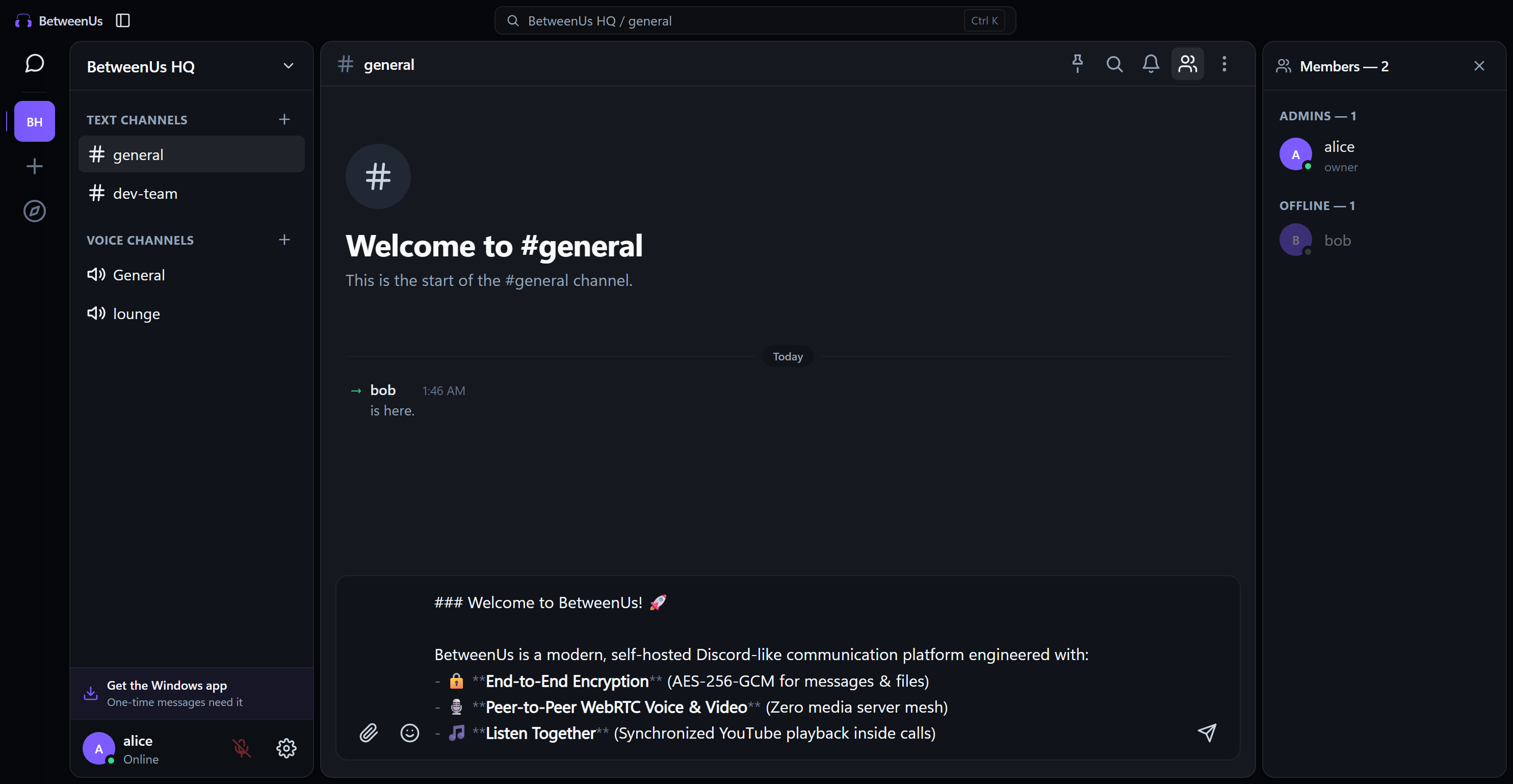
Included Games
- Carrom: Full 2D rigid-body physics simulation where striker velocity, board friction, and piece collisions are deterministically synchronized across peers.
- Ludo: Classic 2 to 4 player token race with turn timers and automated dice rolls.
- Connect Four: Grid-based strategy with instant move validation.
- Reversi / Othello: Dynamic territory capture and flippable disk mechanics.
- Dots and Boxes: Grid line drawing and box capture strategy.
- Tic-Tac-Toe: Quick casual matches.
Architecture Highlights
- Server-Refereed Integrity: Moves are verified and broadcasted by
call-serviceusing authoritative state machines, preventing client-side spoofing. - Spectator Theater: Non-players in the voice channel can watch live matches in real time across desktop and Android.
5. Multi-Theme Customization Engine
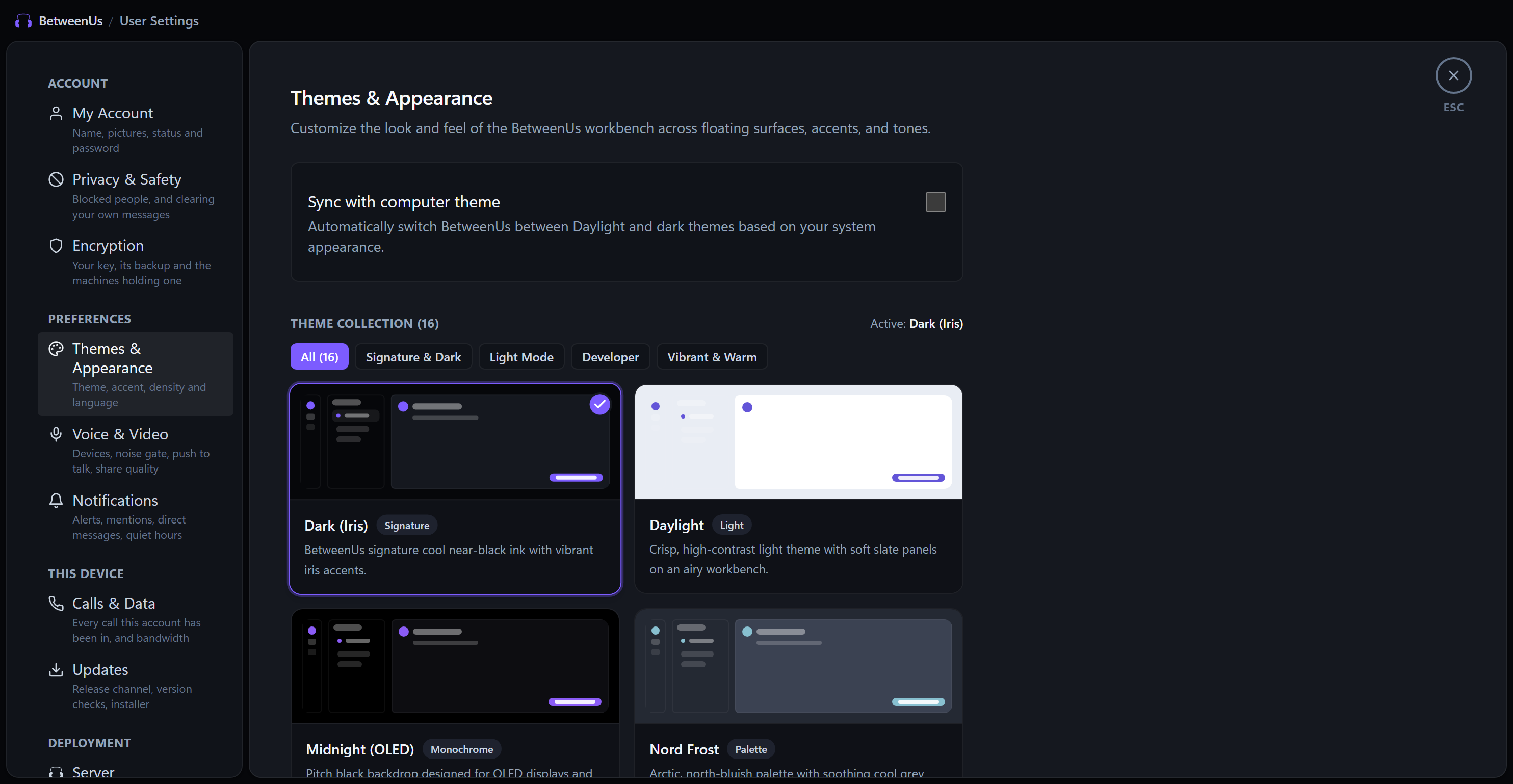
BetweenUs provides a customizable appearance system with 16 curated themes, 8 dynamic accent tints, and Material You wallpaper palette extraction on Android.
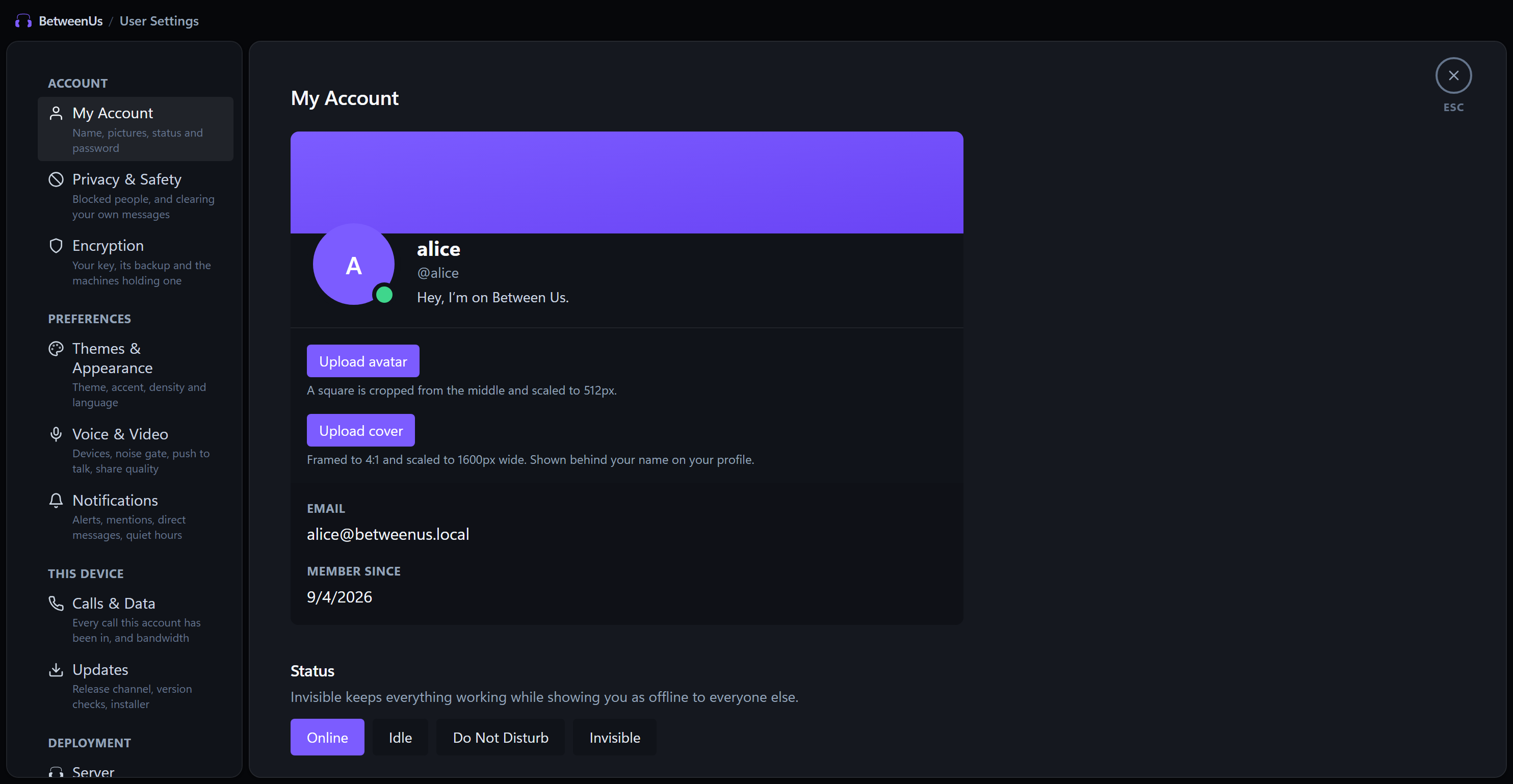
Desktop Appearance Customizer
Android Material You & 16 Themes
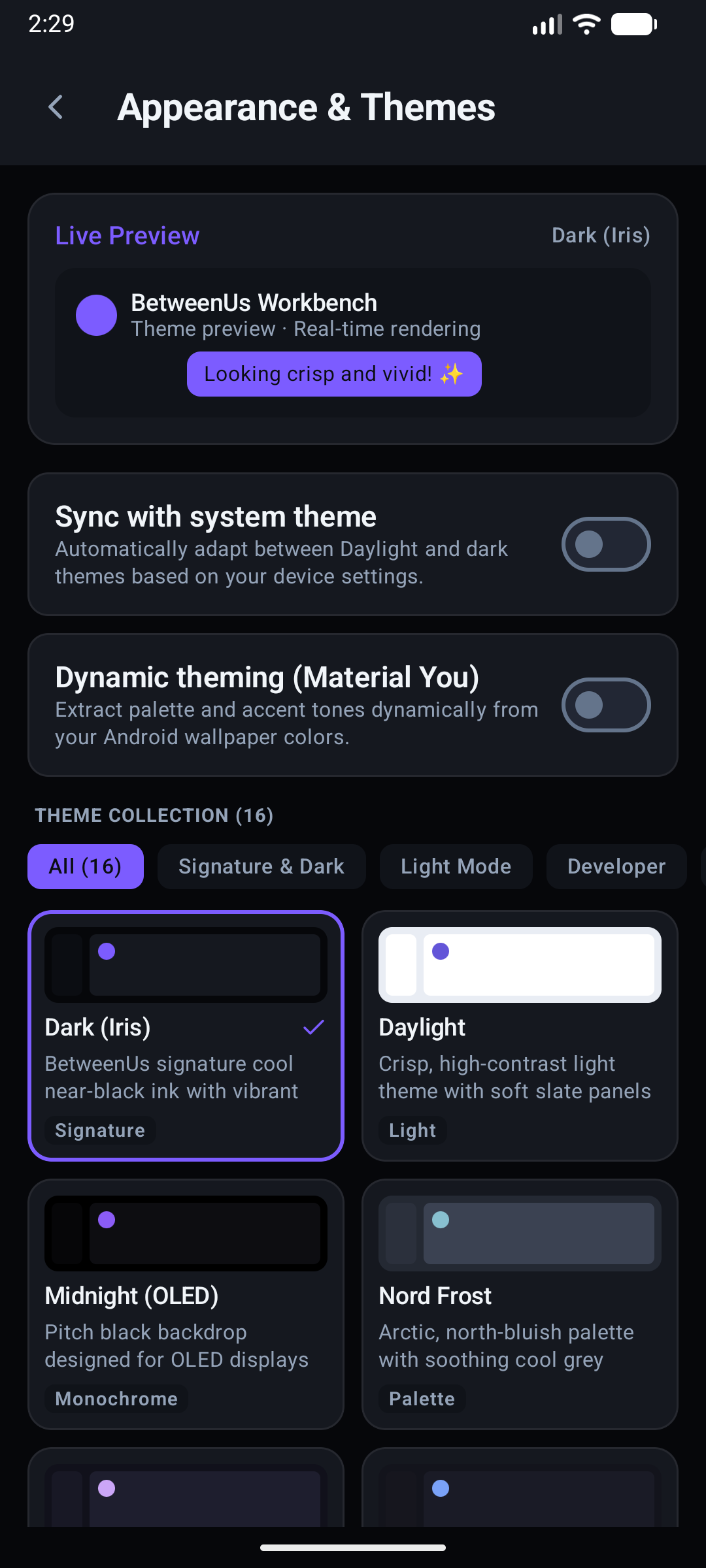
Curated Theme Library
- Signature & Dark: Dark (Iris), Midnight (AMOLED 100% Black), Obsidian (Deep Charcoal), Slate Dark.
- Developer Palettes: Nord Frost, Tokyo Night, Catppuccin Macchiato, Rose Pine, Dracula.
- Vibrant & Neon: Cyberpunk Neon, Sunset Coral, Emerald Forest, Deep Ocean.
- Light & High Contrast: Daylight, Paper Light, Solarized Light.
Customization Options
- Dynamic Accent Swatches: Choose from 8 signature colors (Iris, Rose, Cyan, Emerald, Amber, Violet, Sky, Crimson).
- Material You Dynamic Theming: On Android, accent tones and container surfaces adapt to your wallpaper color palette.
- Interface Density Scaling: Adjust typography and element padding between Compact, Cozy, and Roomy.
- OS Theme Auto-Sync: Automatically switch between Daylight and dark themes based on your operating system preferences.
- Server Rail Folders: Group servers into named, collapsible folders in the rail. A collapsed folder still carries the unread badge of everything inside it, so folding a server away never hides that it wants you.
:::note Personalization stays on your machine Themes, accent, density, per-person call volumes and rail folders are all stored locally on the installation that set them — never on the server. Two members of the same server have no reason to agree on what a folder is called or where it sits, so none of these add a column, an endpoint or an event, and nothing another account does can rearrange your rail. :::
6. Secure Remote Desktop Access
Control unattended or assisted remote machines securely from within your BetweenUs client.
Key Capabilities
- Granular Access Control: Authorize remote access per-device with customizable permission tiers (View Only, Input Control, File Transfer, Clipboard Sync).
- Interactive Multi-Monitor Streaming: View single or multi-screen setups with seamless mouse and keyboard event translation.
- Instant Revocation: Terminate active remote sessions immediately from the client or web portal.
- E2EE Tunneling: Remote video framebuffers and input event channels are negotiated via peer-to-peer WebRTC data channels with DTLS encryption.
7. 24-Hour Ephemeral Moments
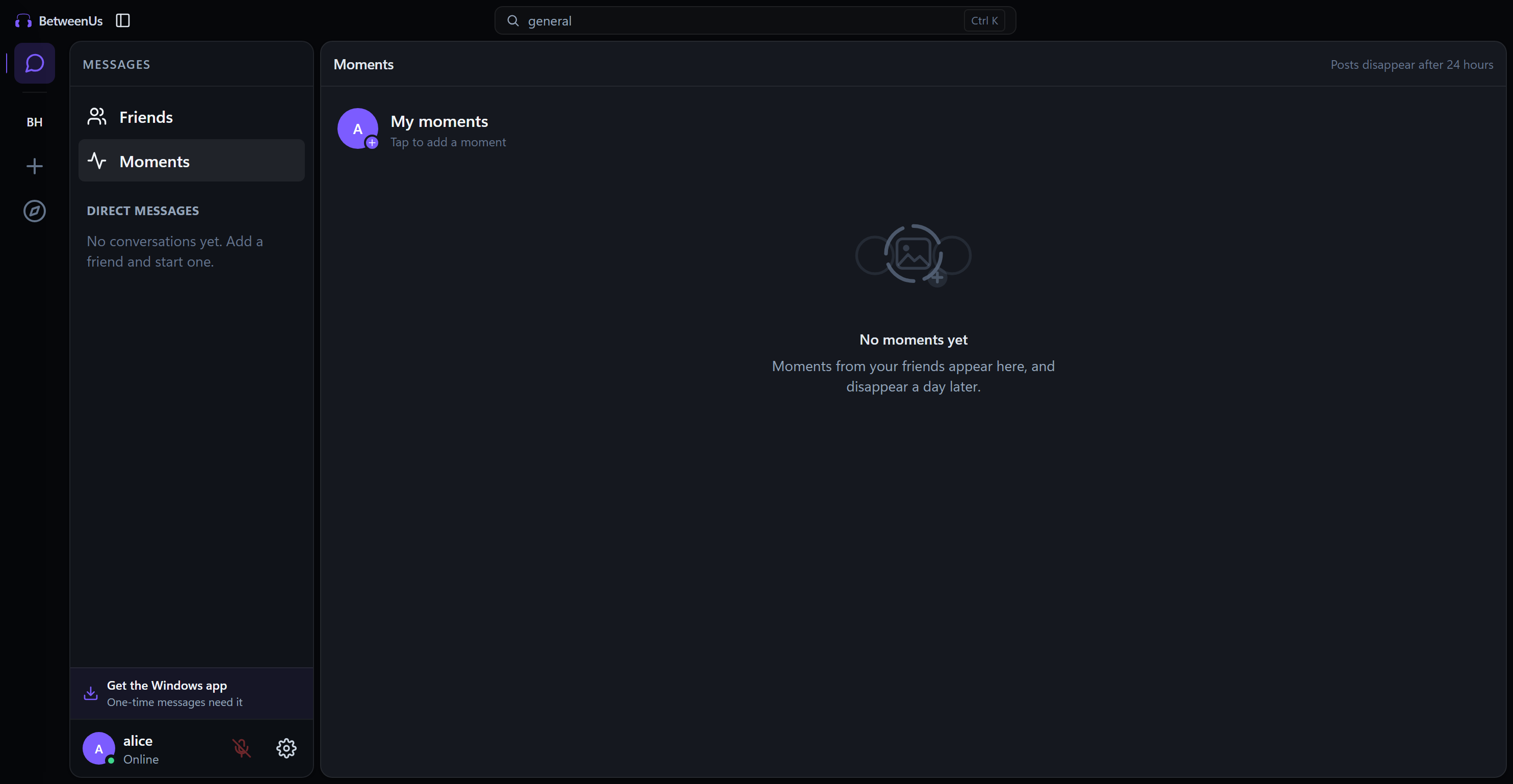
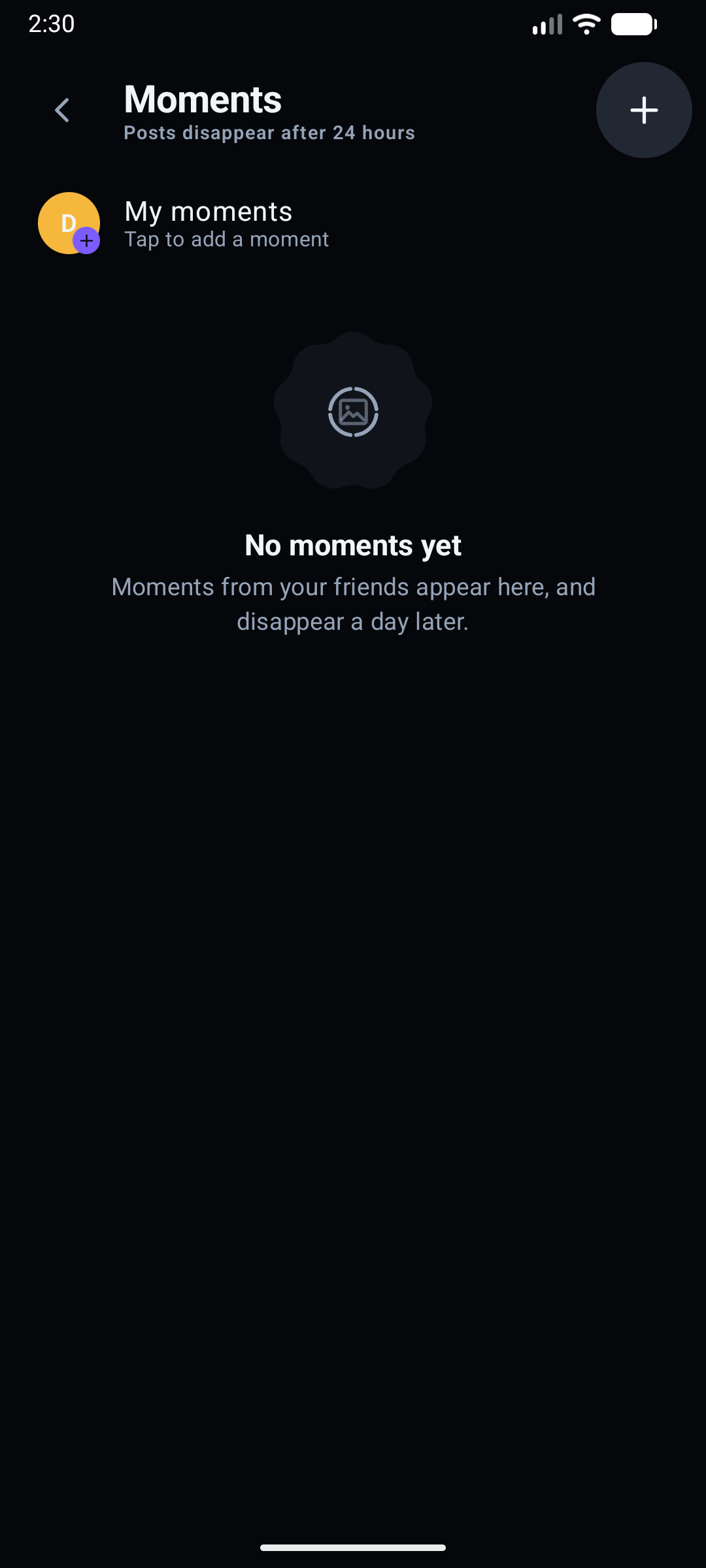
Share real-time photos, thoughts, and status updates that disappear automatically after 24 hours.
Desktop Moments Tray & Feed
Android Native Moments Tray
Key Capabilities
- Ephemeral Lifecycle: Moments automatically expire and are purged from database records and storage 24 hours after posting.
- Rich Captions & Media: Attach photos and stylized captions with customizable privacy boundaries.
- Non-Intrusive Discovery: View updates from your friends list and server colleagues in a dedicated Moments feed.
- Cross-Platform Media: Photos are normalised to JPEG by the sender, so a moment posted from an Android camera (which writes HEIC) draws on every client rather than only on the phone that posted it.
- Background Posting: Uploads run outside the composer - the screen is free as soon as you press Post, and the run fills in as each moment lands.
- My Moments: Everything you have posted, on every client, one tile per moment with its own age, view count and reaction tally. The grid reads newest first while the player still plays a run oldest to newest — the order it was lived in. On Android a drag up inside the player opens the same list of who watched.
- Moments Privacy: Choose who a moment is posted to - all your friends, all of them except some, or only some. The friend list is always the ceiling, and the choice is enforced by which devices the post's key is sealed for rather than by any client hiding it.
- Reaction Counts: A moment carries the tally of what people said back, shown to its author beside the view count, with each viewer's own symbol beside their name.
- React & Reply: Answer somebody's moment with a one-tap reaction or words. The answer lands in your conversation with them, tagged with the moment it was about - and once the moment expires the tag stays and says so, rather than leaving a bare emoji with nothing to explain it.
8. Security, Key Backup and Identity
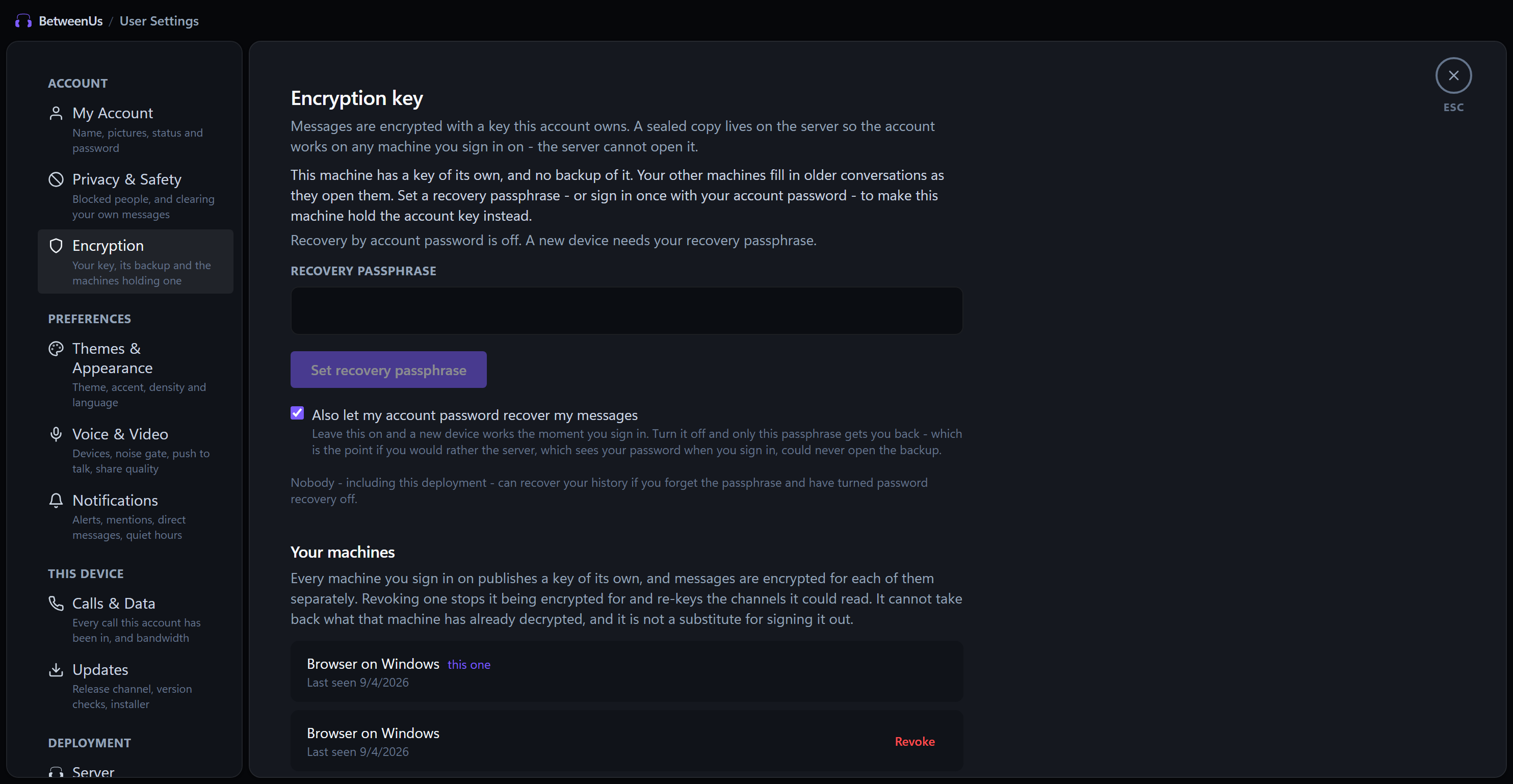
BetweenUs provides cryptographic account protection and device management.
Key Capabilities
- Client-Side Key Generation: Encryption keys are generated locally using cryptographic primitives (Web Crypto API / Libsodium / Android KeyStore).
- Zero-Knowledge Key Backup: Encrypt your identity key using an optional recovery passphrase or wrapped account credentials.
- Machine Device Registry: Inspect all active machines authorized to decrypt your conversation history and revoke compromised devices with a single click.
9. Granular Server Governance and RBAC
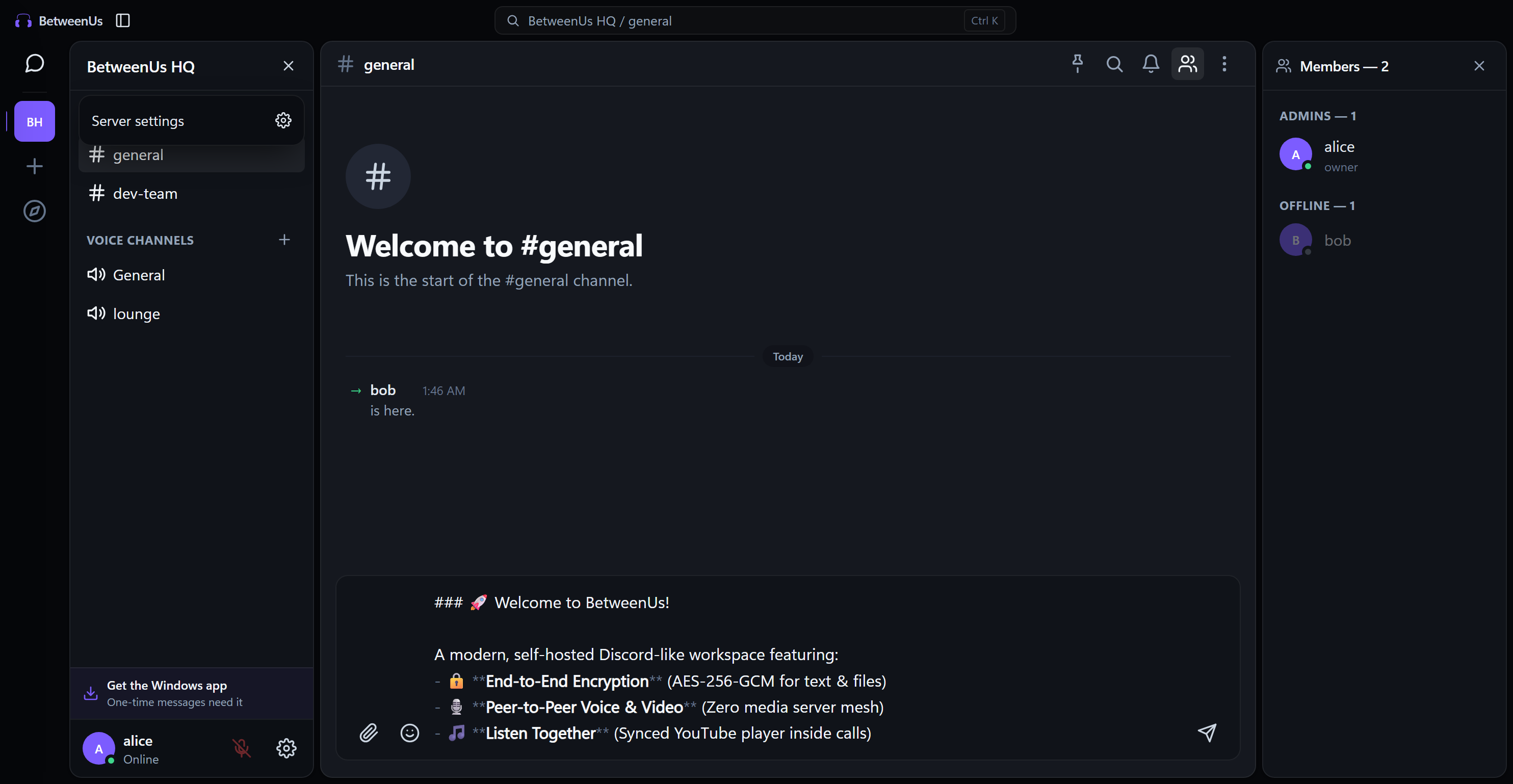
Manage communities and workspaces with Discord-grade permission systems.
Key Capabilities
- Custom Role Hierarchy: Define custom roles with custom names, hex color pickers, and hoisted member list grouping.
- Channel-Level Overrides: Fine-tune view, send, attach, and speak permissions on a per-channel basis.
- Granular Admin Flags: Centralized permissions covering channel management, member moderation, role assignment, and audit logs.
- Configurable Invites: Create vanity or temporary invite links with max uses and expiration timers.
10. Social Graph and Direct Messaging
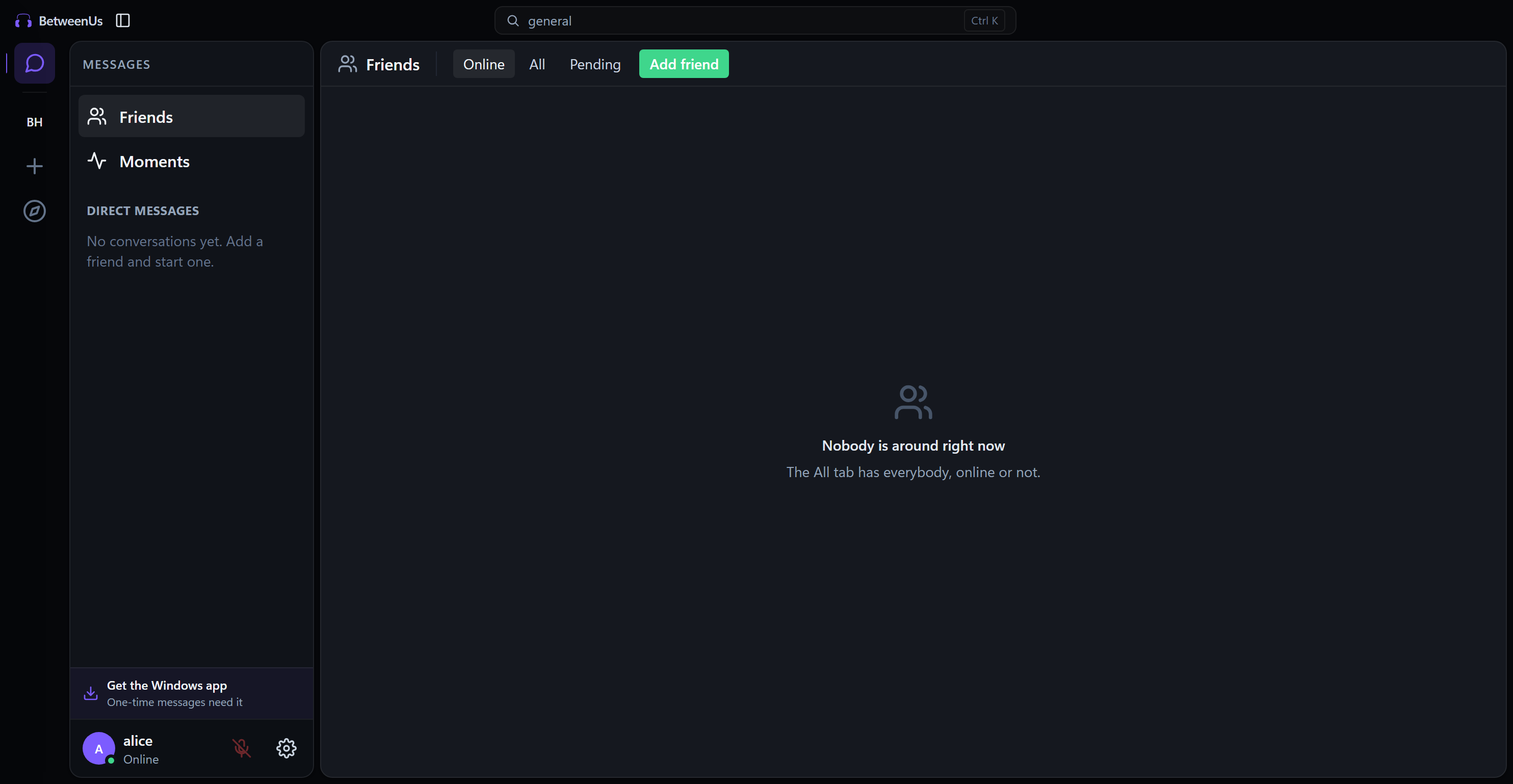
Stay connected with direct messaging and real-time presence indicators.
Desktop Friends Directory
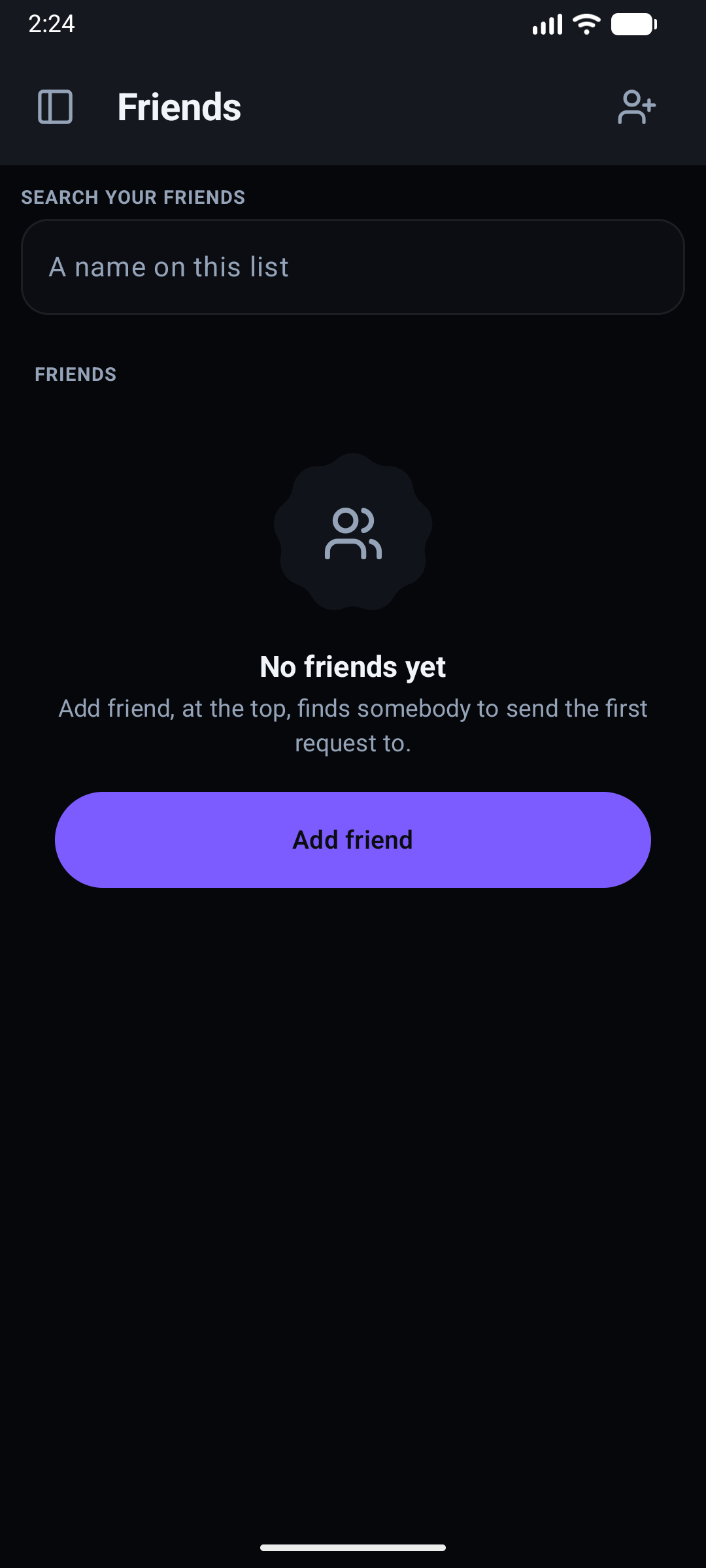
Android Friends & DMs
Key Capabilities
- Friend Management: Send, accept, or decline friend requests with global user tag search (
username#0000). - Real-Time Presence: Show status as Online, Idle, Do Not Disturb, or Invisible.
- Privacy & Safety Controls: Block unwanted users, manage quiet hours, and configure notifications. A blocked person's messages in a server you share fold into a quiet "Blocked message · Show" row, (jumping to a message inside a folded run from search, pins or a quote opens that run first), and they no longer notify you.
11. Native Android Mobile Experience
BetweenUs provides a 100% native Kotlin and Jetpack Compose mobile client designed specifically for modern Android devices (phones, foldables, and tablets).
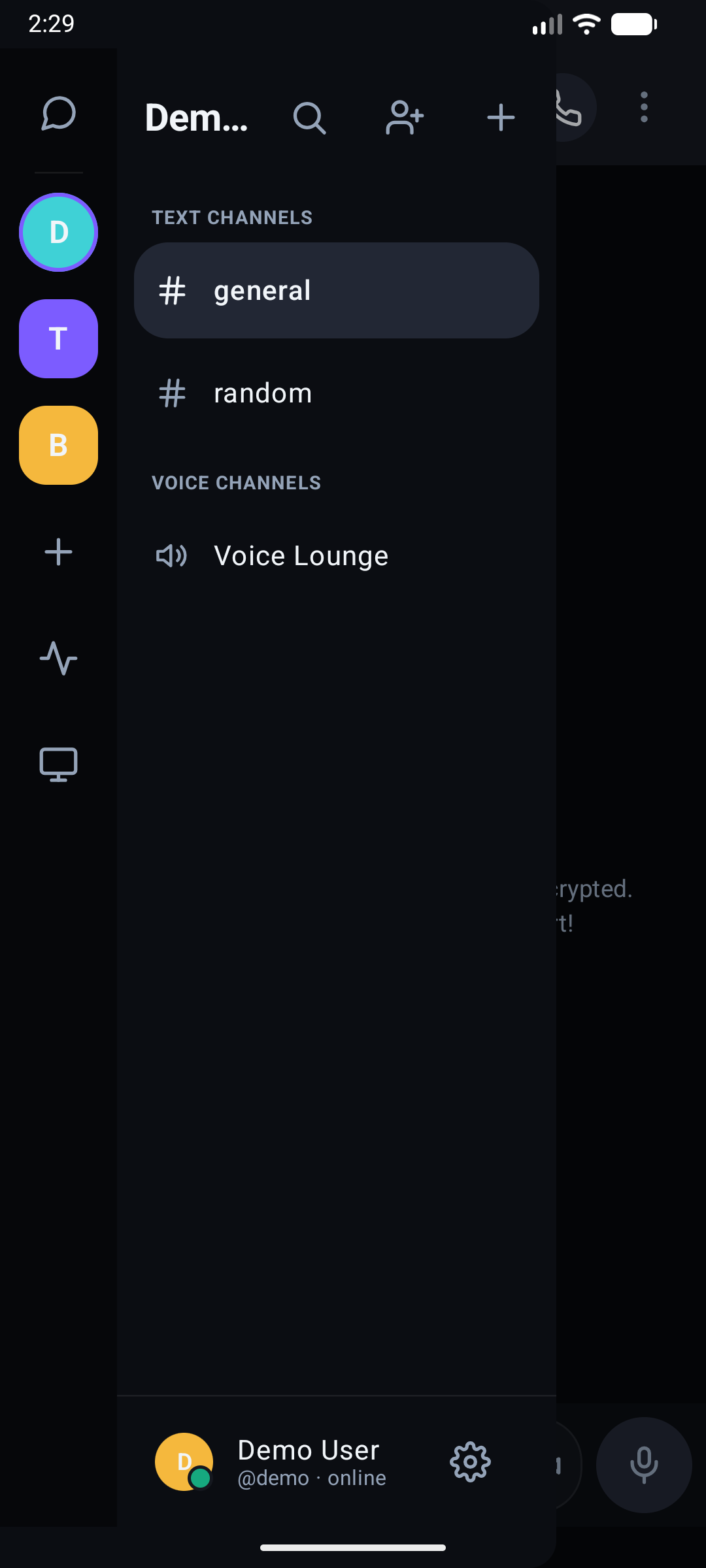
Multi-Server Rail & Channels
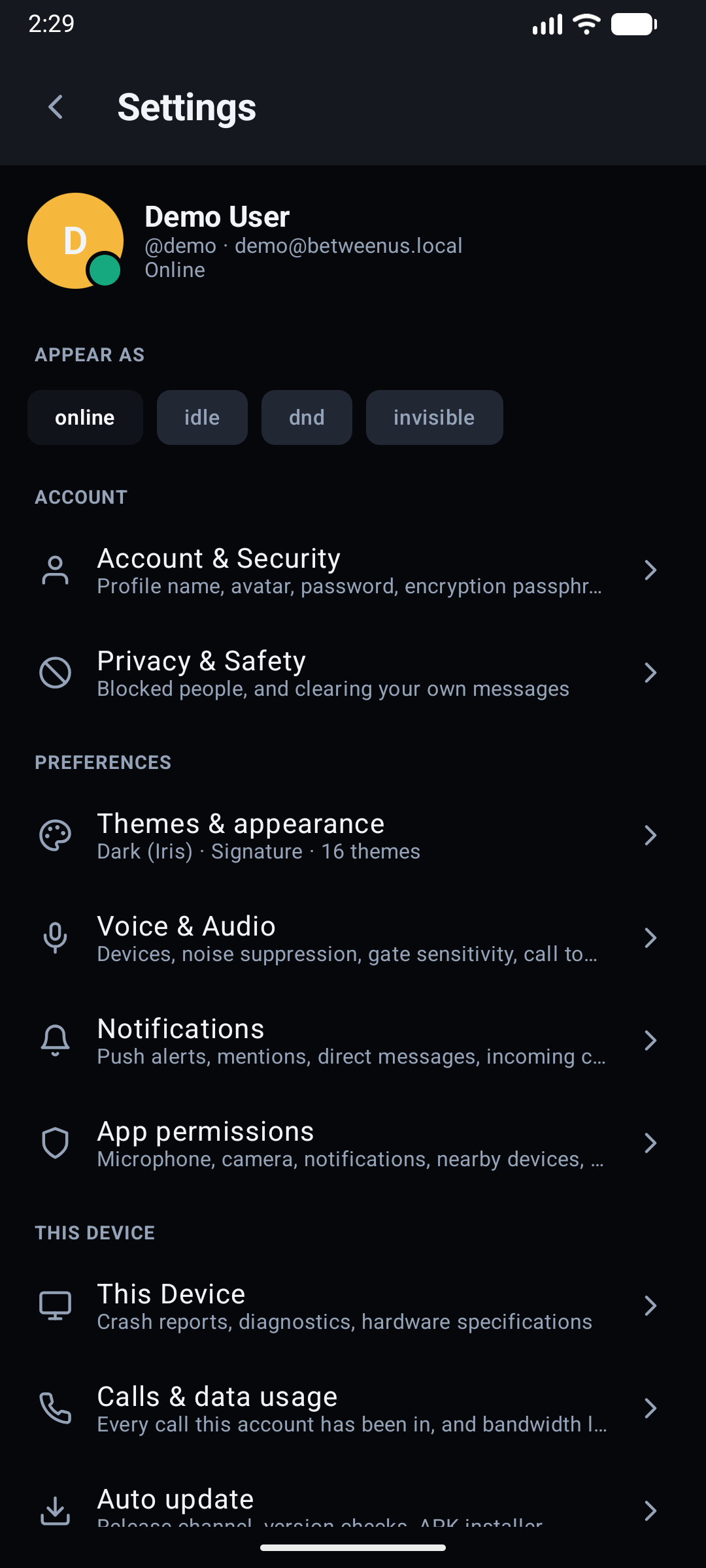
Settings Hub & Presence
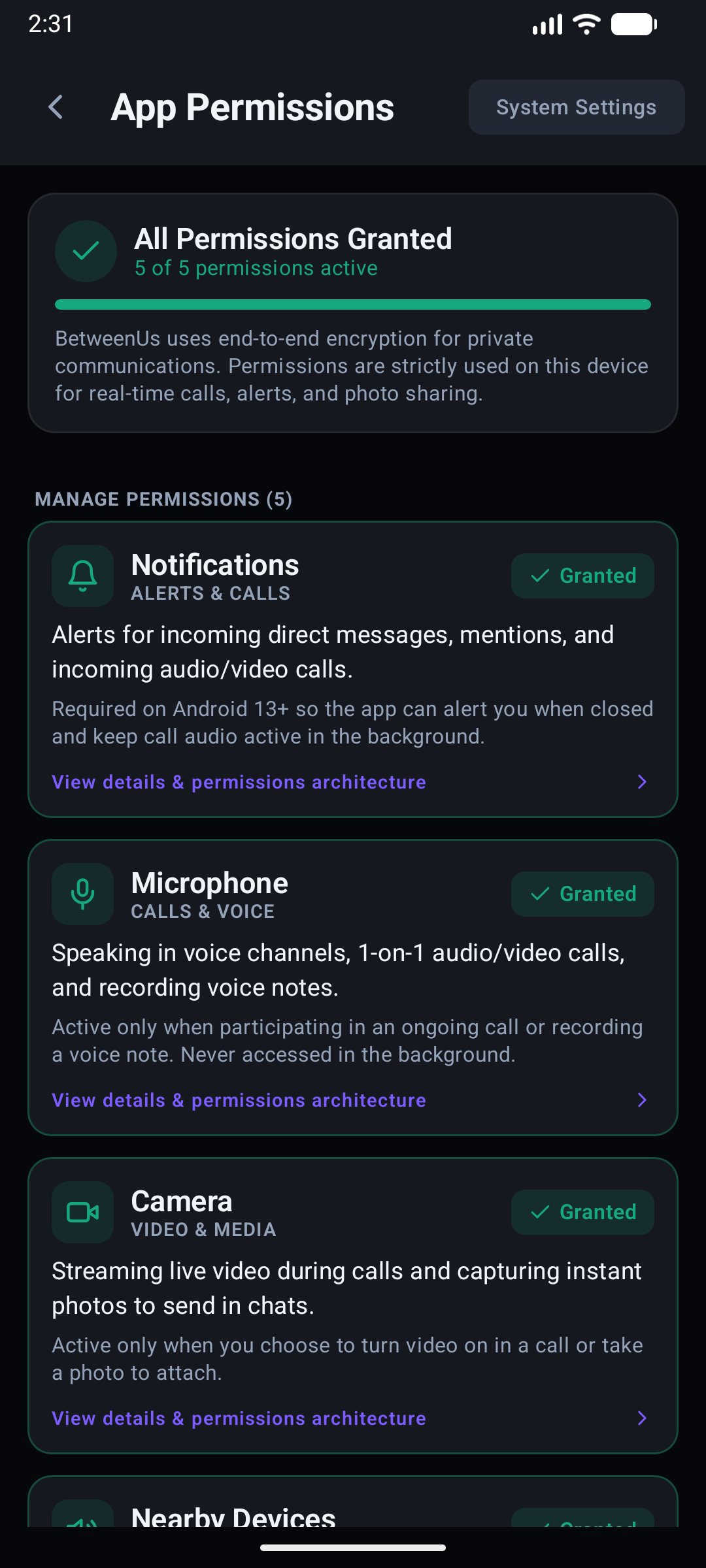
Permission Health Dashboard
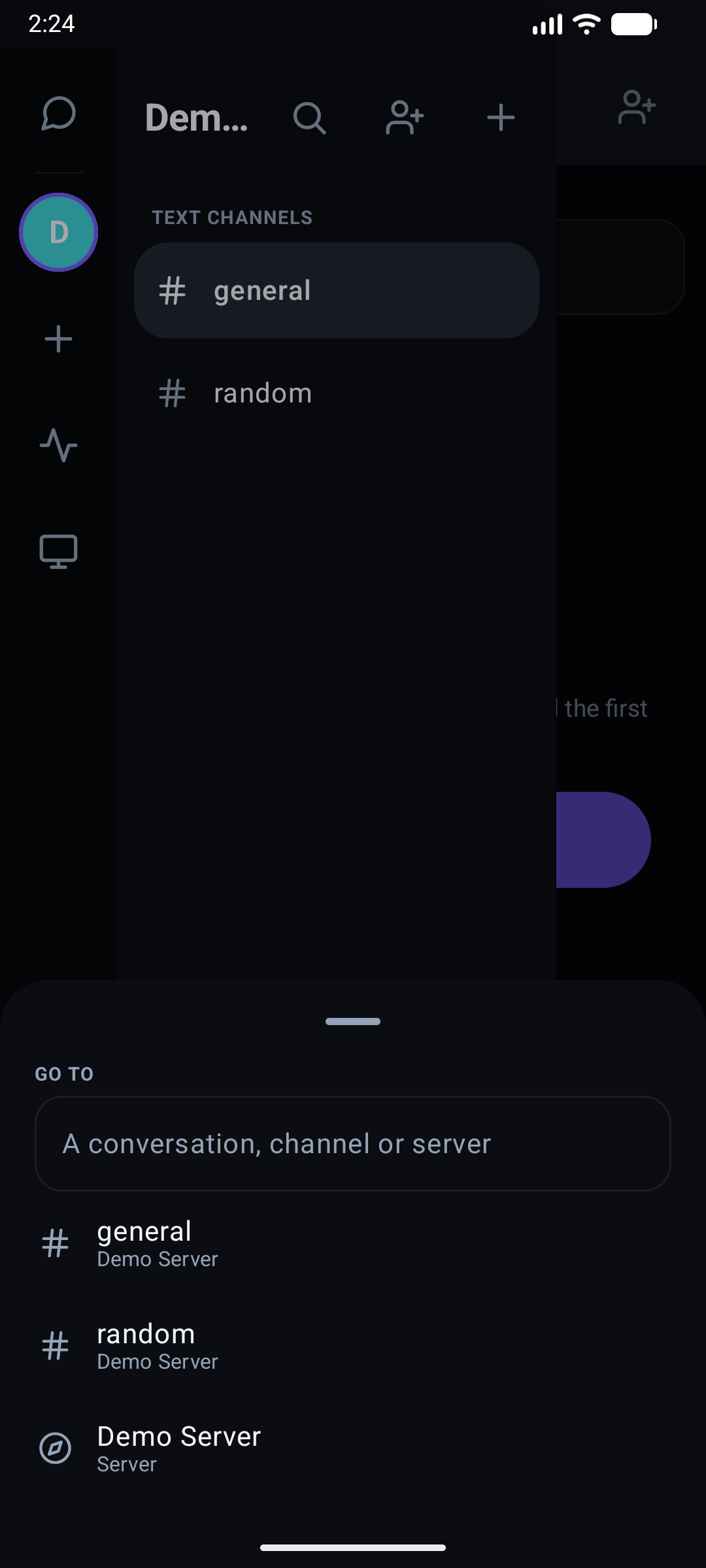
Quick Switcher Modal
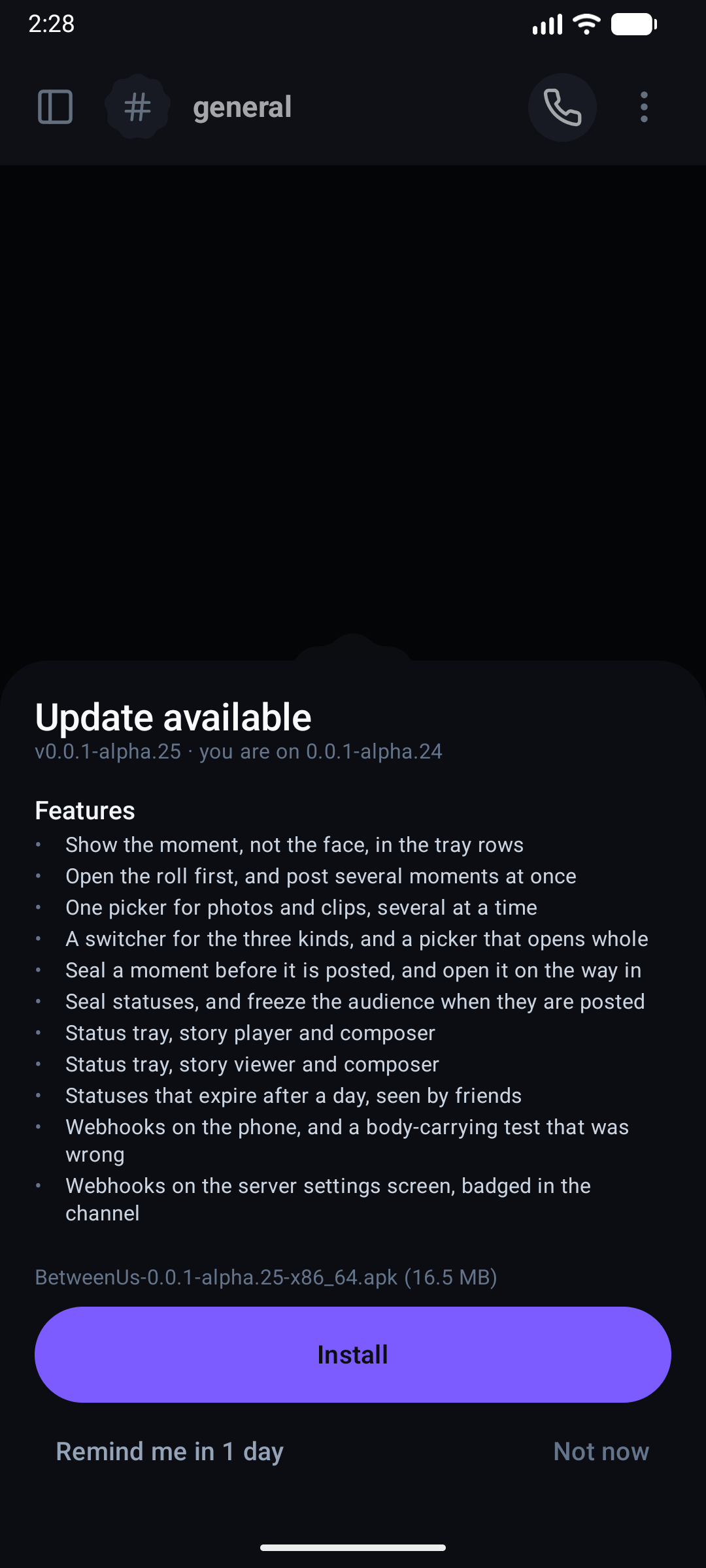
In-App Self-Updater
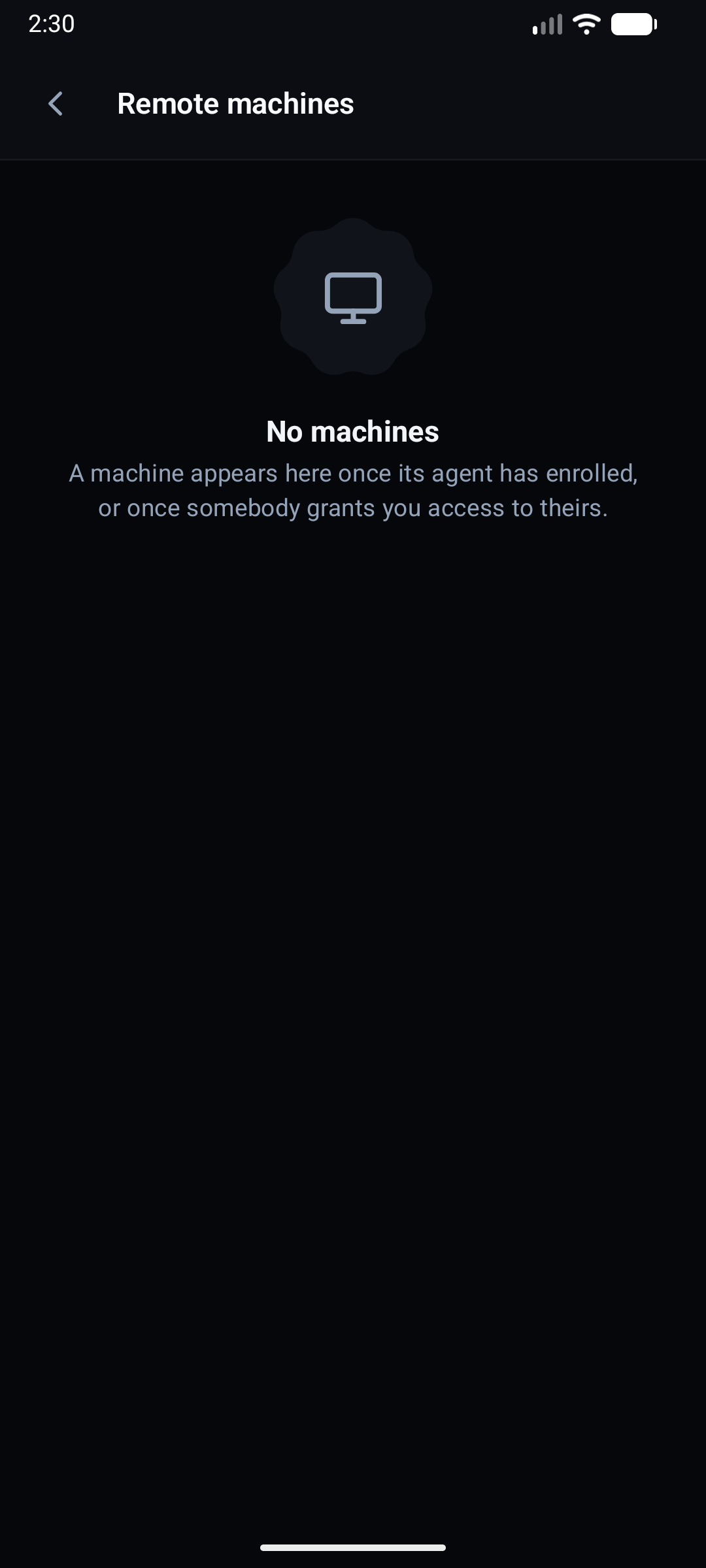
Remote Machines Viewer
Key Capabilities
- Jetpack Compose Expressive UI: Adaptive dual-pane layouts for tablets and foldables, smooth spring physics animations, and fluid gesture navigation.
- Android KeyStore Hardware Security: ECDH P-256 identity key pairs and session tokens backed by Android KeyStore hardware security modules.
- Background Call Continuity: Foreground service audio pipeline keeps WebRTC calls active while navigating other apps or when the screen is turned off.
- Direct APK Release Pipeline: Seamless GitHub Releases integration with device ABI detection (arm64-v8a, x86_64) for automated non-Play Store installs.
Next Steps
- Explore the complete Architecture Overview.
- Read the deep dive on the Android Native Client.
- Learn more about the Multi-Theme System.
- Follow the Local Development Guide to run BetweenUs on your own machine.
- Read about End-to-End Encryption Architecture.